Campaigns are autonomous AI agents that run continuously. Each campaign has its own ICP, signals, schedule, and tone.
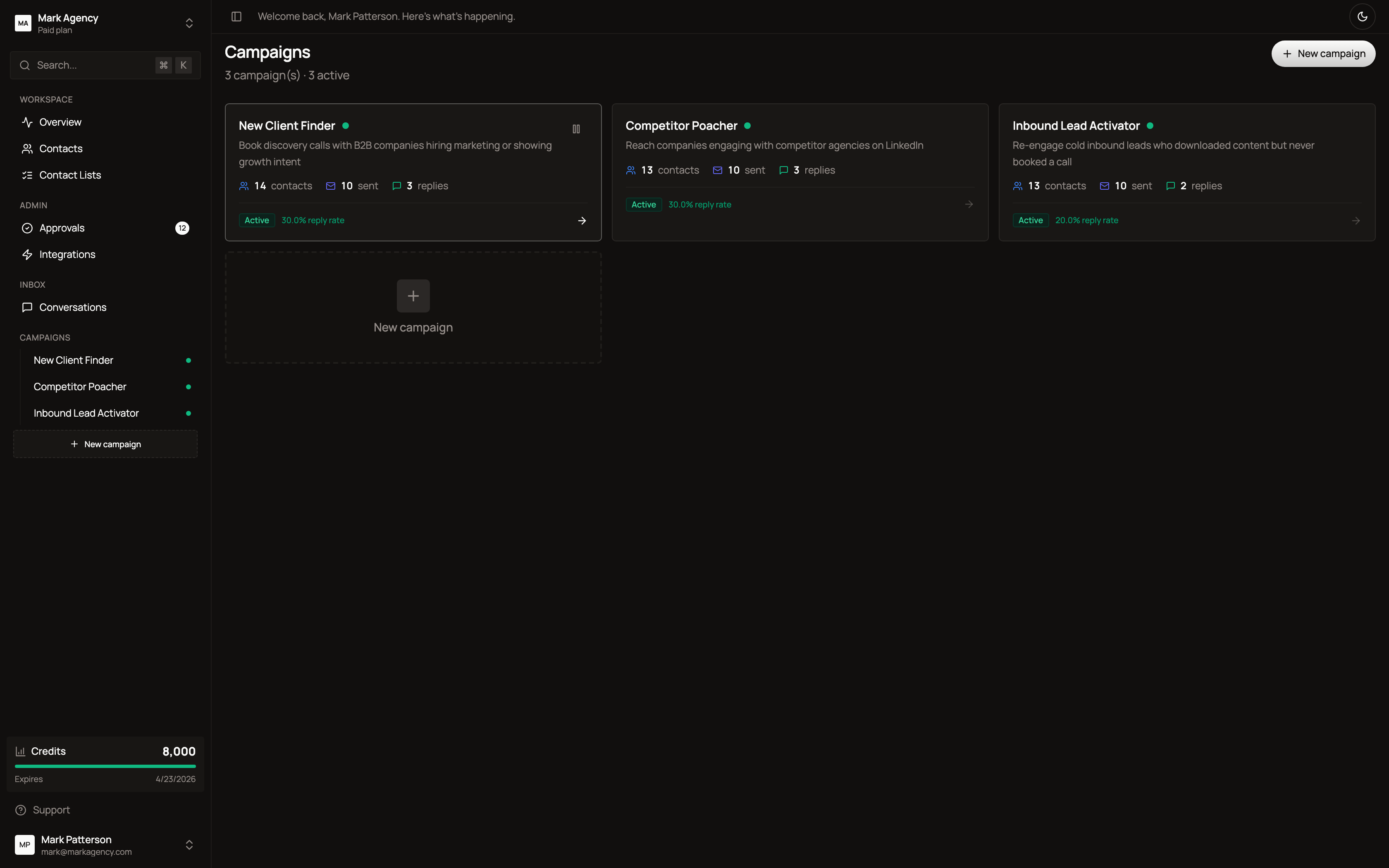
What each campaign card shows
- Status — Active or Paused
- Contacts — total contacts surfaced
- Sent — total messages delivered
- Replies — responses received
Campaigns run quietly in the background. You’ll only see what they do when an action requires your approval (in Approvals) or when a prospect replies (in Inbox).
Creating a campaign
The campaign wizard walks you through setup in four steps: business context, signals, ICP targeting, and tone.
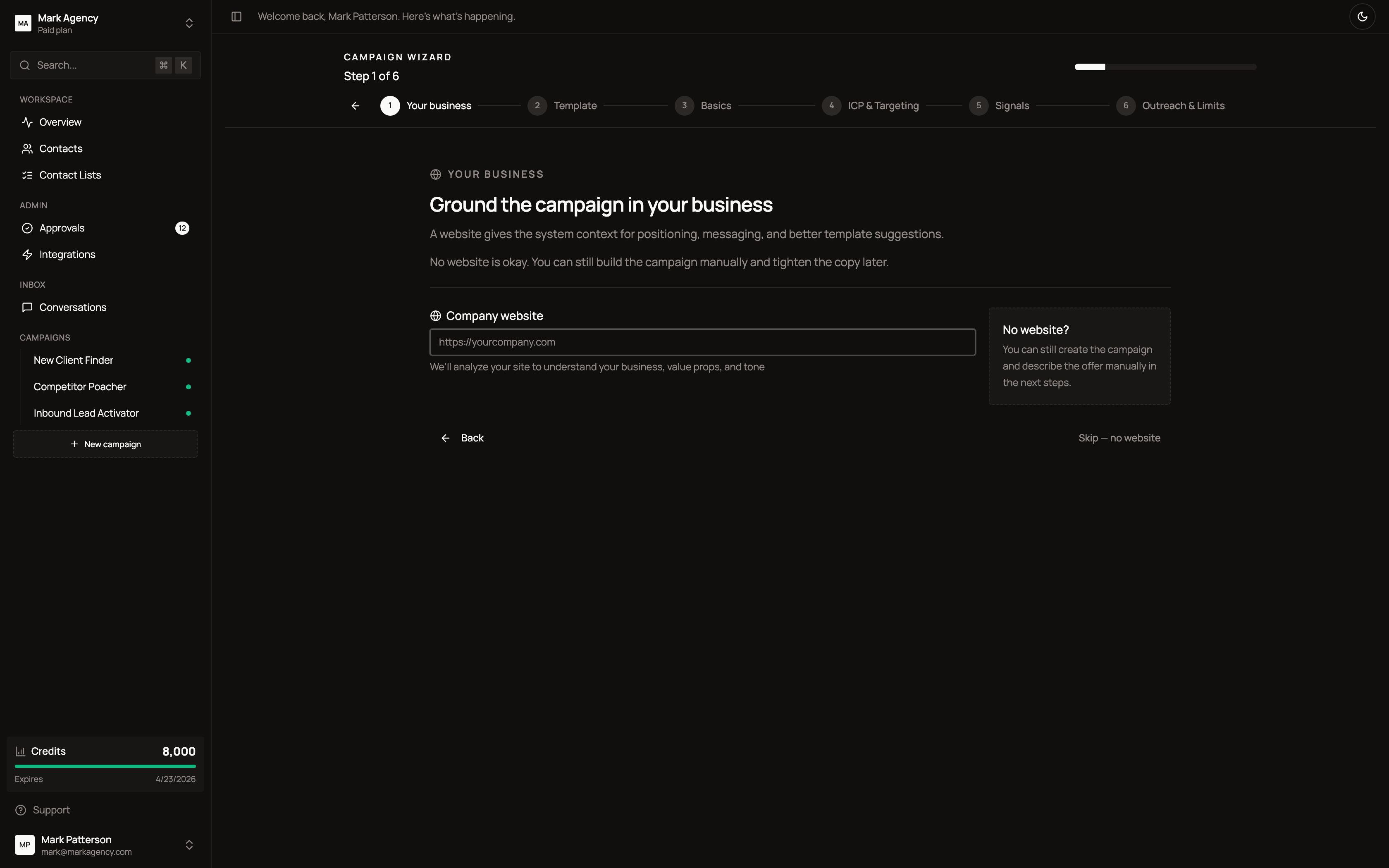
You’ll define:
- Your business — website, value proposition, ICP description
- Signals to watch — hiring posts, funding rounds, technology installs, competitor activity
- ICP targeting — job titles, seniority, company size, industries, locations
- Tone & calendar — voice the AI should use, calendar link to share
The AI uses everything you set here to write hyper-personalized first touches, follow-ups, and replies.
Why it works
Most outbound tools optimise for volume — how many sequences, how many sends, how many opens. The signal is somewhere else entirely. The signal is when a director of marketing changes jobs and inherits a stack she didn’t choose. The signal is when a Series B startup posts about hiring its first growth person. The signal is when a competitor agency loses a client publicly.
Those moments are when the right outreach gets a reply in two hours instead of two weeks. Honeytrail watches for those moments. That’s the whole product.