When prospects reply, conversations land in your unified inbox. Filter by campaign, status (replied / opened / sent / bounced), or search by keyword.
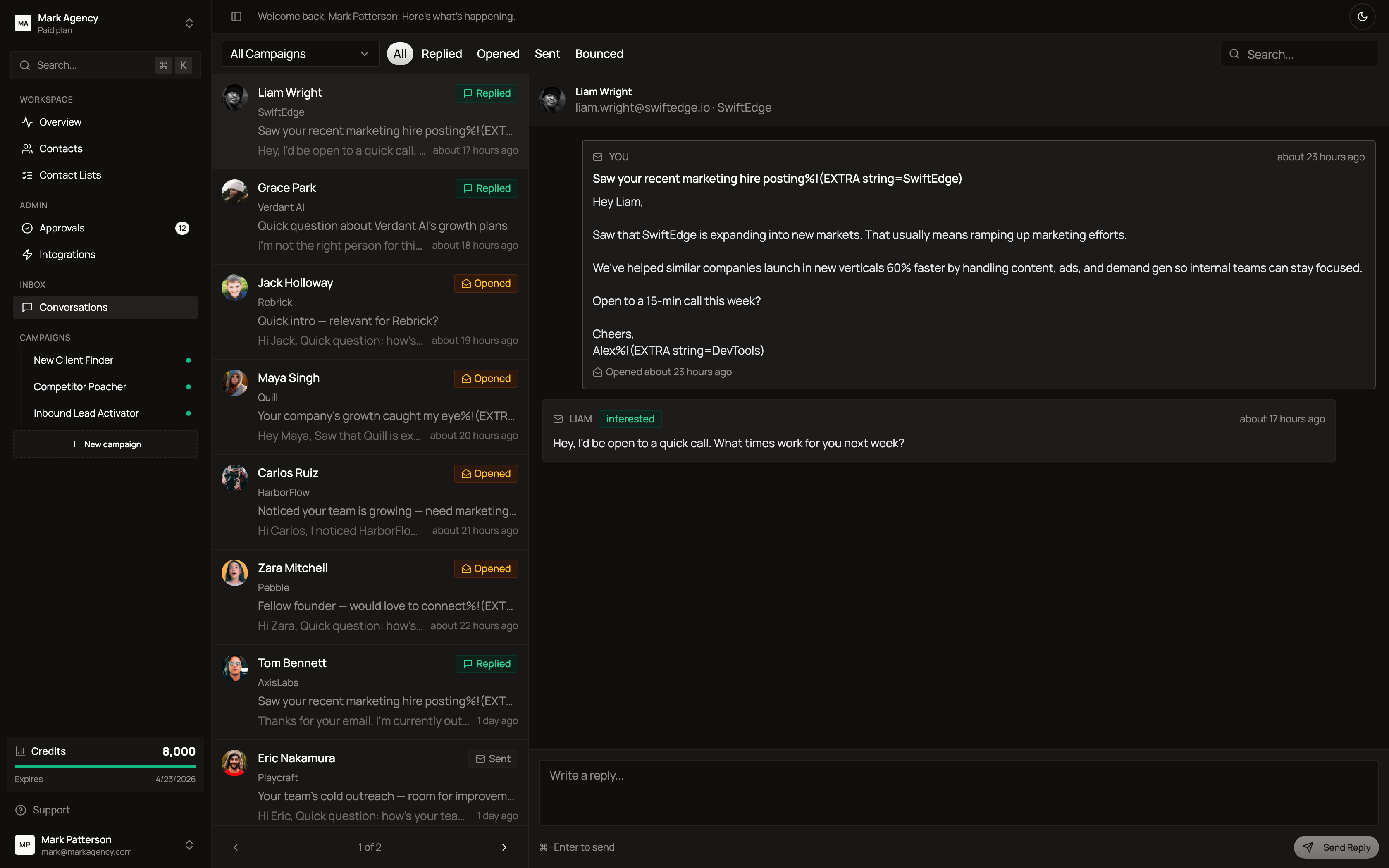
The left pane lists every conversation with the lead’s name, company, latest reply preview, and status badge. Click any conversation to see the full email thread on the right.
The AI automatically classifies replies (interested, question, scheduling, not interested, out of office) and can draft responses for you to approve.
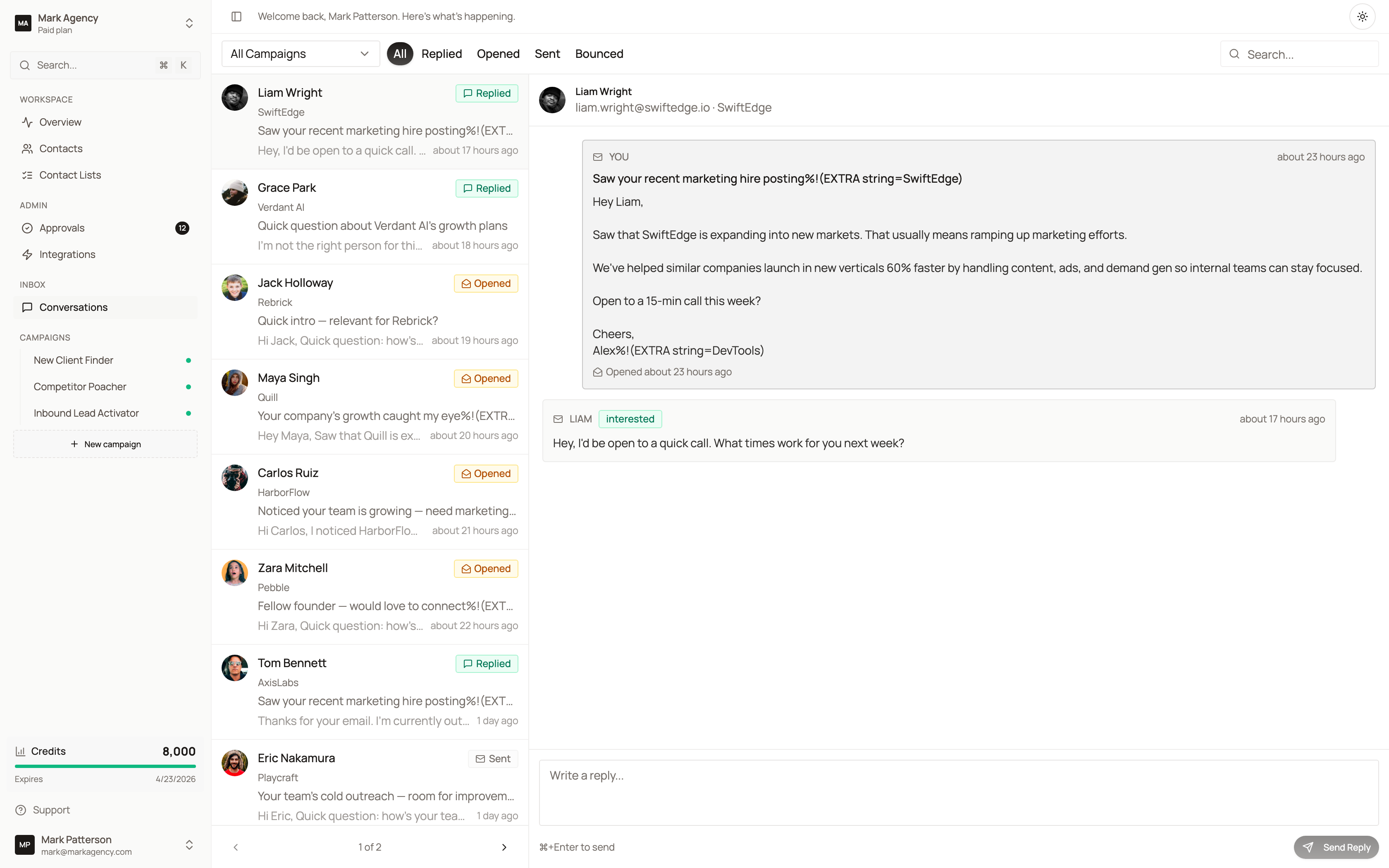
What lands here
- Email replies from your sender accounts
- LinkedIn DM responses
- Status changes (booked, opened, bounced)
- Auto-generated draft responses from the agent (queued for your approval)
Nothing about replies is automatic — you always see them and decide how to respond. The AI just drafts.