Workspace configuration lives in Settings. Seven tabs covering everything from your profile to security.
Profile & Company
Your name, role, timezone, language, and company context. The AI uses this to personalise every email it sends.
The Auto-fill button scans your website and pre-populates your value proposition, target industries, and product description so you don’t have to write it from scratch.
Outreach rules (Governance)
Control how often the same person or company can be contacted across campaigns. Prevents over-contacting and protects your sender reputation.
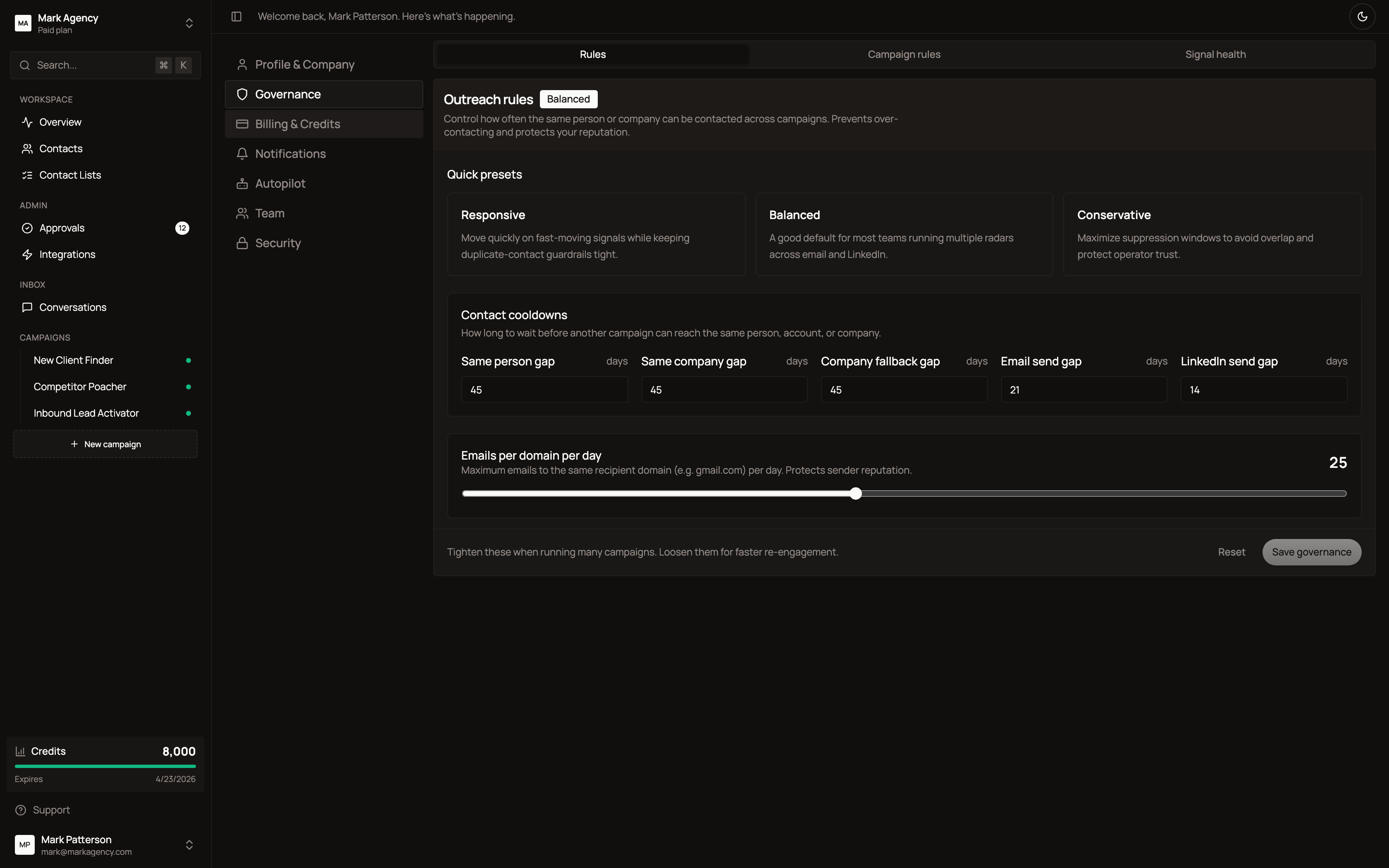
Pick a preset (Responsive / Balanced / Conservative) or fine-tune the cooldowns:
- Person cooldown — days between campaigns reaching the same contact
- Account cooldown — days between campaigns reaching the same company
- Company cooldown — fallback when only company-level matching exists
- Email cooldown — minimum days between emails to the same person
- LinkedIn cooldown — minimum days between LinkedIn touches
- Emails per domain per day — global cap to protect deliverability
Billing & Credits
Manage your subscription, top-ups, payment method, and invoices.
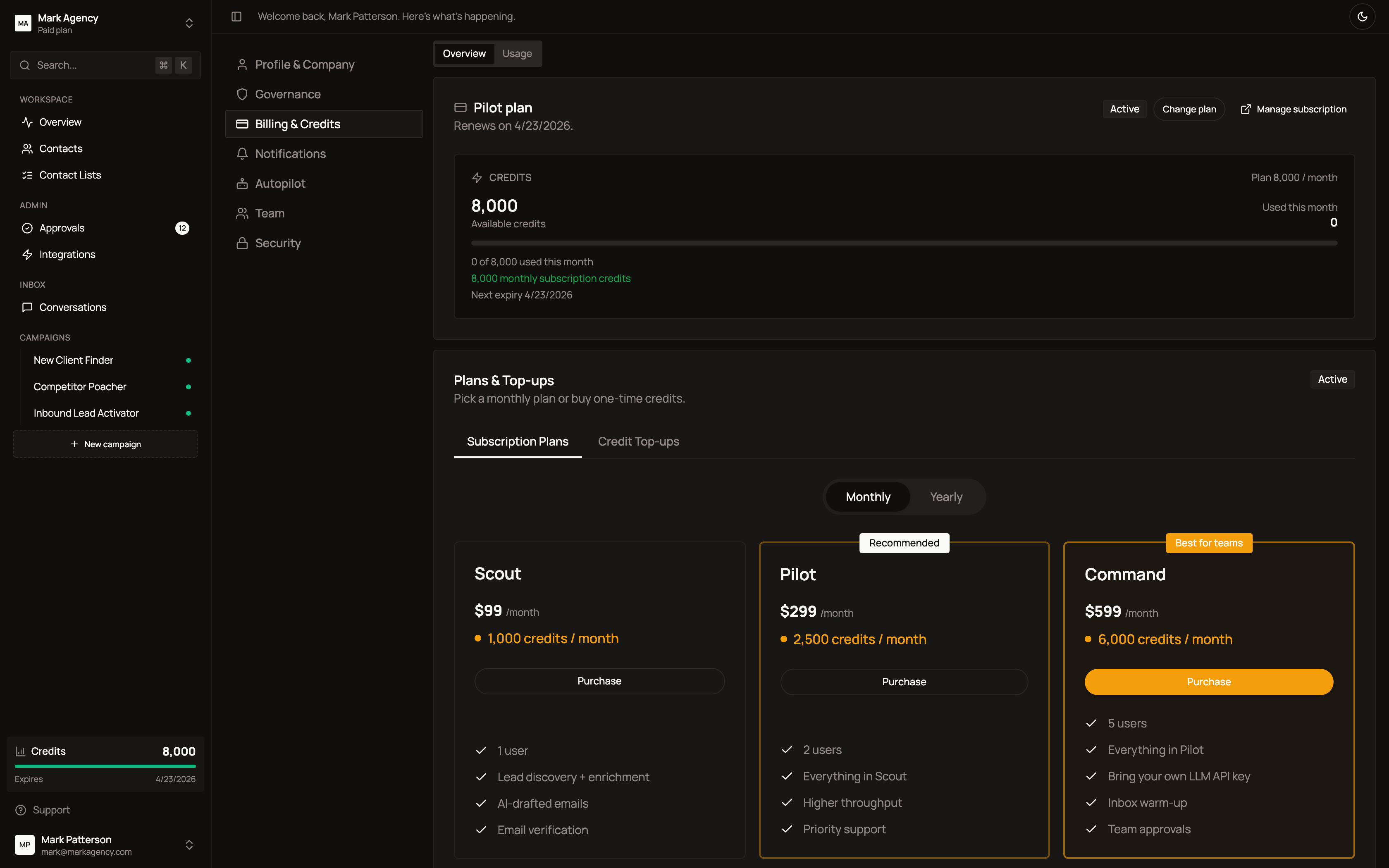
Three plans:
| Plan | Price | Credits/month | Best for |
|---|---|---|---|
| Scout | $99/mo | 1,000 | Solo founders, small agencies |
| Pilot | $299/mo | 3,000 | Growing agencies (most popular) |
| Command | $999/mo | 6,000 | Multi-client teams |
Switch between Monthly and Yearly billing. Buy one-time top-ups when you need extra capacity. Use Manage subscription to access Stripe’s billing portal for invoices and cancellation.
Notifications
Choose what you want to hear about by email.
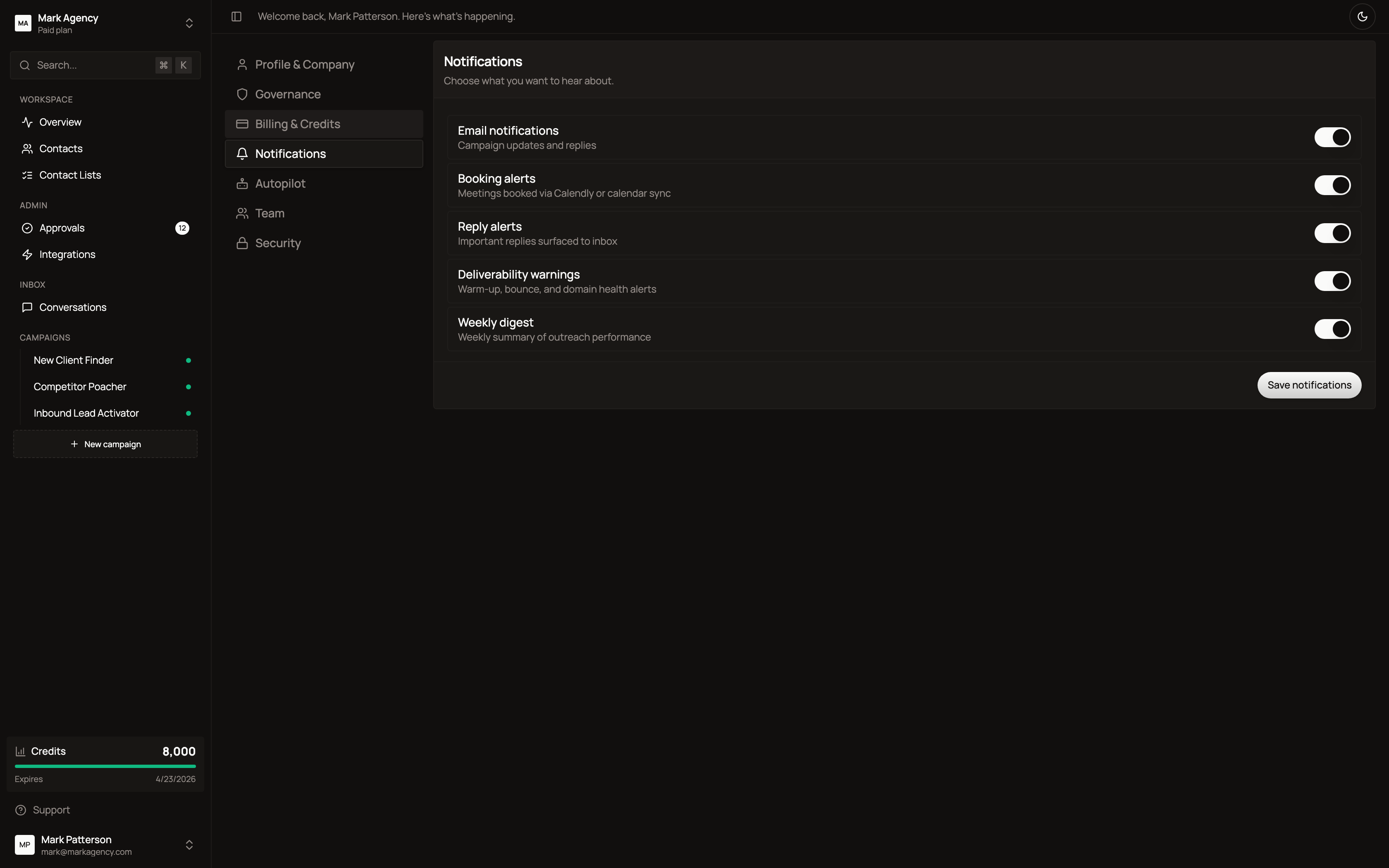
- Email notifications — campaign updates and replies
- Booking alerts — meetings booked via calendar
- Reply alerts — important replies surfaced to inbox
- Deliverability warnings — warm-up, bounce, domain health
- Weekly digest — performance summary every Monday
Autopilot
Set the confidence threshold for autonomous mode. Below this score, the AI queues actions for your approval. Above it, sends are automatic.
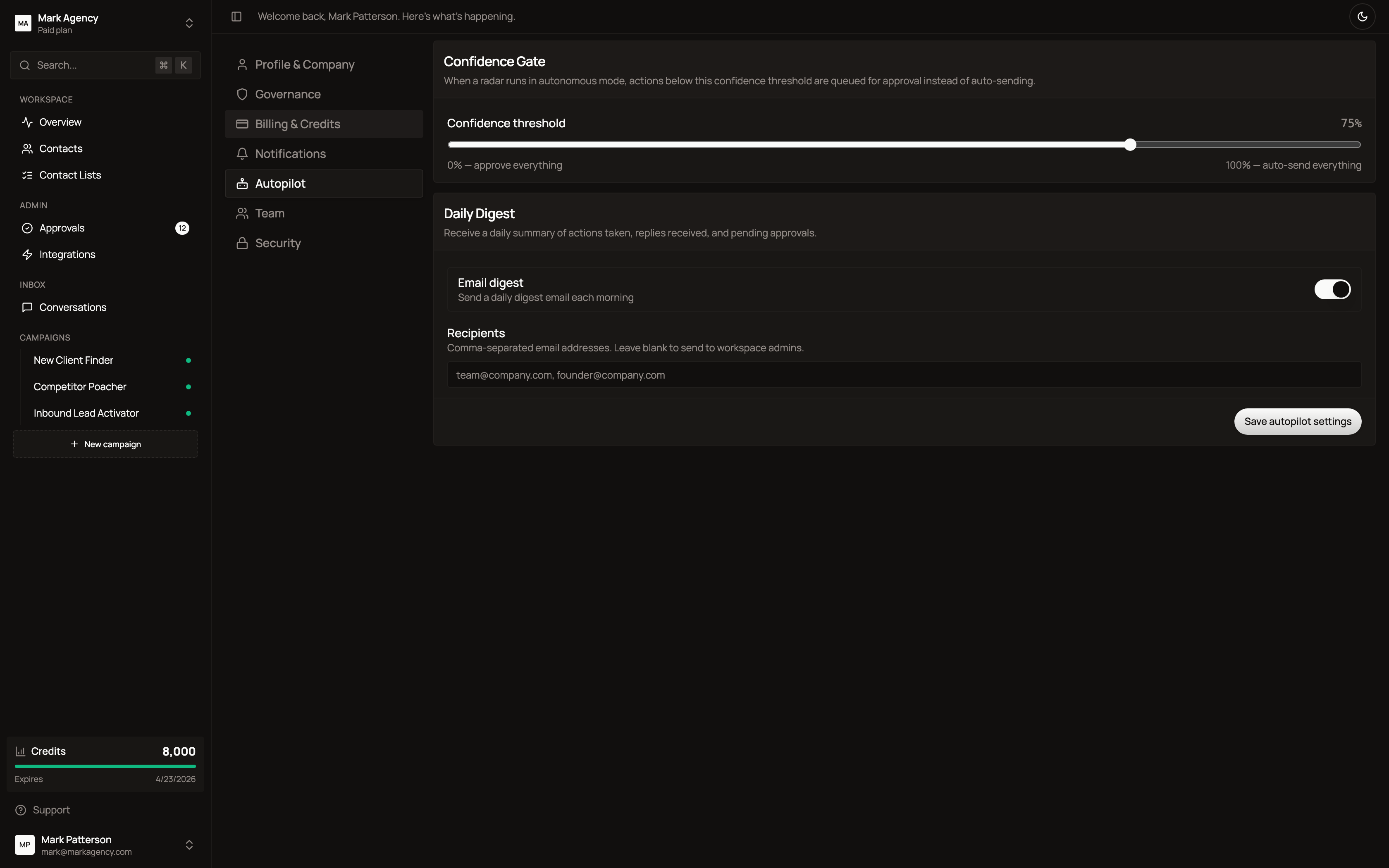
Also configure the daily digest email — a morning summary of yesterday’s actions, replies, and pending approvals.
Team
Invite teammates and manage roles.
Roles available: Admin (full access) and Member (campaign and contact access only). Team members are free — Honeytrail doesn’t charge per seat.
Security
Manage password, two-factor authentication, and active sessions.
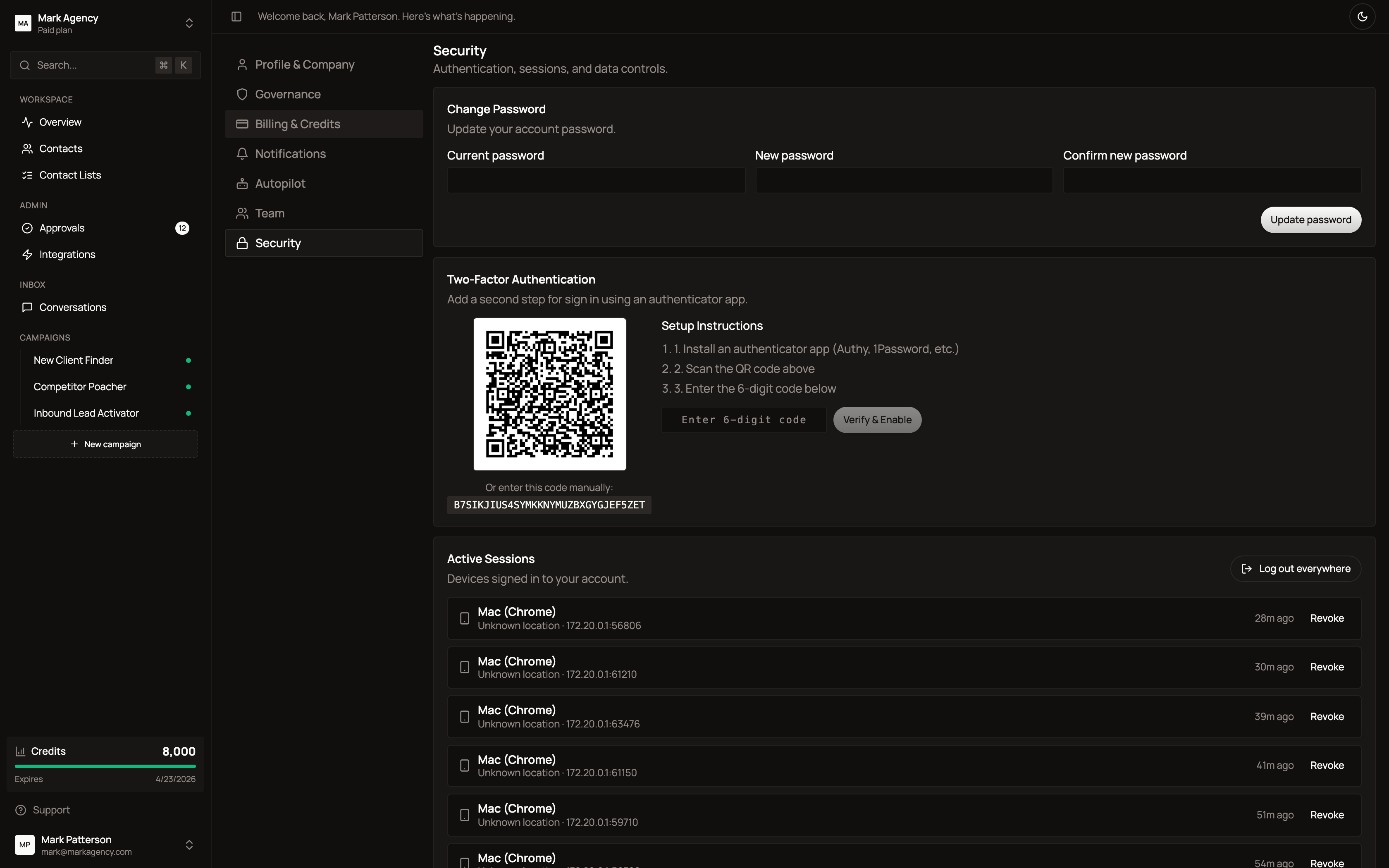
- Change password
- Enable TOTP-based 2FA (Authy, 1Password, Google Authenticator)
- View and revoke active sessions
- Sign out everywhere